Amber's been a regular on the Google Group and the Aviary for quite a while now, and it's been fantastic to watch her autodidactical progress from total beginner to actually using steno in her daily life. She's exactly the sort of person I had in mind when I decided to get Plover off the ground. Check out her story!
My journey to Plover began a little more than a year ago when I realized that, regardless of how hard I practiced, I wasn't going to get any faster at typing. I researched other keyboard layouts and even read the very limited research that we have on typing. My search also led me to a bunch of wacky keyboards and letter arrangements that have come and go over the years as well as chorded keyboards. This ultimately led me to Plover.
I wasn't sold right away. Would it be worth it? There was really no way to tell. But the idea of writing syllable by syllable instead of letter by letter just made sense to me. Knowing that it takes most students years, if ever, to learn to write in real time, I set my goal as being able to write faster in Plover than I could in qwerty. A few months later...
Great news!
I'm now writing in Plover faster than I can in qwerty. That was my one and only goal. Everything else from here is a bonus. Considering that I've been touch typing for more than two decades but only using Plover for about six months, I'm frankly impressed with the efficiency of stenography. In other words, getting something out of Plover that's practical and will make a difference in your life doesn't require the speed or accuracy that would be necessary for court reporters, CART providers, or captioners. You don't have to go to school, and you don't have to take any tests.
To me, this is the most important thing that I can say about Plover. Just like most people who study touch typing don't do so with the intent of becoming transcriptionists, you don't need to write at 225 wpm or even know what the heck a 'jury charge' is to use Plover. Ultimately, I'm excited to write about this precisely because what I've accomplished means basically nothing in the world of stenography.
To them, it's totally meh. To me, it's exactly what I wanted.
How did I accomplish this non-lofty goal?
I'm an above average typist, and I studied piano for a couple of years when I was in college. So, I imagine this means I had a bit of a head start.
However, I think there are three main things that have allowed me to get to my goal:
1. I spend time on my dictionary. For me, the biggest draw to Plover was the ability to shape the dictionary however I wanted. I might be the only person in the entire world who uses PH-RB for 'remember'. And that's okay. Use whatever works for you.
2. I practice. Plovering is ultimately a physical activity. Like playing sports or making love, you get better by practicing. I'm no exception to this rule. Talent is a factor; time using Plover is a bigger one.
3. I modified my keyboard. I'm using a mechanical keyboard with all R4 keycaps. There was just no way that I could write 'g' on a standard keyboard. While the keys are still misaligned, I don't think this is much of an issue. All in all, I think what I have is pretty close to that of a student steno machine – for 1/10 of the price.
Getting to this point was the warm-up. Now the real journey begins. Over time, I'll get faster at the most common words, more comfortable with less common words, and learn more briefs.
If you're just getting started, remember that no one is going to go to jail or be medically misdiagnosed if you get something wrong. Just write, and don't get hung up on not being as good at Plover as you are at typing. If all you know is 'and', 'but', and 'the' – great! You're already way ahead of the vast majority of people on the planet; you won't believe how much ground those three words cover; and you can build from there.
But I feel your pain: the honors student in me wants a course book or guide or something – anything! – to make me feel like I'm 'doing this right'. I'm no expert, but my sense thus far is that stenography resources are very expensive and offer limited value. I'll never know for sure, but I don't think I'd arrived where I am any faster had I been systematically studying a particular theory. Regarding the growth of Plover, I think it's going to take some time. Although stenography is old, Plover itself is a new technology. So, right now there's a lot of knee-jerk rejection – even among the techno-savvy.
I hope one day Plover will become so common that people never even realize how revolutionary it actually is. However it turns out, I'm delighted to be here to watch it unfold.
Plover On!
Tuesday, October 2, 2012

Wednesday, August 22, 2012
Mac Port! Stentura Support! New Fly!
Fantastic news on the Plover front.
We have a new Windows release:
http://stenoknight.com/plover/plover.exe
This version fixes several issues and adds a new feature:
- Capitalization is now done properly by only changing the first character.
- Plover will now work fine if the program is killed abnormally (such as shutting down while plover is running).
- Plover now supports the stentura serial protocol. If you have a stenograph machine then you should be able to use it with plover now via the serial port (or serial to USB converter). Just choose "stentura" in the machine settings and in "advanced" choose the serial port. Hit save, and restart plover.
Once we get a rtf/cre -> json conversion script, that Stentura support will be even more useful, because it'll allow the many, many steno students and professionals with Stentura protocol machines to try Plover out with their own dictionaries. If anyone wants to volunteer to write a conversion script, more info is on the Github.
We also now have a Mac distribution:
http://stenoknight.com/plover/Plover.dmg
In addition to the usual install you will have to do this:
Open System Preferences, Open "Universal Access" and check the box next to "Enable access for assistive devices" If you do not do this then plover will just fail.
A million thanks to the amazing Hesky Fisher for his work on both of these!
And we also have a new version of Fly, a drill and keyboard layout teaching tool for Plover:
https://launchpad.net/flyploverfly
* Suspends translation when losing window focus, so that users can type using qwerty in other windows while running Fly
* Support for other steno machines, by using the same discovery method plover is using
* Docs updated to note xlib is needed if plover has not been installed
* Steno colour overlay option, where groups of keys such as HR are coloured according to the steno grid image, in this case cyan for L
* Returns random chord rather than easiest for uncategorized chords.
* Left shift key will toggle hint options on or off. Hint options can be set in config.py.
* Word:category dictionary now used so that misstrokes and briefs do not appear in lessons. In word mode, only canon strokes or uncategorized strokes will be presented.
* Any chord can be used that produces the correct translation, not just the one presented to the user.
* "Briefs" lesson added, that contains only briefs from word categorization dictionary.
It's still Linux-only, but we're hoping that a Windows port will happen eventually. Thanks to the superb Pragma Nolint for designing and programming Fly.
I just got back from a two-week trip, and I'm definitely hoping to post more Plover-related good news soon, but these are the three biggies, and I didn't want to wait any longer to share them with all you guys.
We have a new Windows release:
http://stenoknight.com/plover/plover.exe
This version fixes several issues and adds a new feature:
- Capitalization is now done properly by only changing the first character.
- Plover will now work fine if the program is killed abnormally (such as shutting down while plover is running).
- Plover now supports the stentura serial protocol. If you have a stenograph machine then you should be able to use it with plover now via the serial port (or serial to USB converter). Just choose "stentura" in the machine settings and in "advanced" choose the serial port. Hit save, and restart plover.
Once we get a rtf/cre -> json conversion script, that Stentura support will be even more useful, because it'll allow the many, many steno students and professionals with Stentura protocol machines to try Plover out with their own dictionaries. If anyone wants to volunteer to write a conversion script, more info is on the Github.
We also now have a Mac distribution:
http://stenoknight.com/plover/Plover.dmg
In addition to the usual install you will have to do this:
Open System Preferences, Open "Universal Access" and check the box next to "Enable access for assistive devices" If you do not do this then plover will just fail.
A million thanks to the amazing Hesky Fisher for his work on both of these!
And we also have a new version of Fly, a drill and keyboard layout teaching tool for Plover:
https://launchpad.net/flyploverfly
* Suspends translation when losing window focus, so that users can type using qwerty in other windows while running Fly
* Support for other steno machines, by using the same discovery method plover is using
* Docs updated to note xlib is needed if plover has not been installed
* Steno colour overlay option, where groups of keys such as HR are coloured according to the steno grid image, in this case cyan for L
* Returns random chord rather than easiest for uncategorized chords.
* Left shift key will toggle hint options on or off. Hint options can be set in config.py.
* Word:category dictionary now used so that misstrokes and briefs do not appear in lessons. In word mode, only canon strokes or uncategorized strokes will be presented.
* Any chord can be used that produces the correct translation, not just the one presented to the user.
* "Briefs" lesson added, that contains only briefs from word categorization dictionary.
It's still Linux-only, but we're hoping that a Windows port will happen eventually. Thanks to the superb Pragma Nolint for designing and programming Fly.
I just got back from a two-week trip, and I'm definitely hoping to post more Plover-related good news soon, but these are the three biggies, and I didn't want to wait any longer to share them with all you guys.
Friday, June 15, 2012
Steno Hero Alpha
I've got so many Plover updates to write, my head is spinning. I'll write all of them up in the next post. But this one deserves an announcement of its own:
Steno Hero Alpha Is Live!
You remember my original post on Hover Plover, outlining some possible ideas for arcade-style steno games, right? Well, at the PyGotham code sprint on Friday night, I mentioned to a couple of the guys there that I'd found a .lrc (timecoded lyrics) file for Jonathan Coulton's Still Alive, and I thought it might make for a start to the Steno Hero game I talked about way back when. Since it was just music, lyrics, and rhythm, it wouldn't need any fancy art, and I thought its scope was about the right size for a sprint. Well, they coded 'til midnight, then they went home and came back to PyGotham the next day, coded some more, and this is the result. I've managed to get through it with only two red bars, I think (different ones each time), but I'm going to keep practicing until I can get all green. Anyone want to try and beat me?
Anaximander, the guy who headed up the project, has continued to code on it, and he says he's just a few days away from a version that lets you upload your own .lrc and .mp3 files and then generates the game for you dynamically. I can't wait. I'd originally picked Still Alive (old meme classic that it is) because the .lrc file was readily downloadable, and I assumed that, like all Coulton songs, the audio was released under a Creative Commons license. According to Wikipedia, though, it turns out that the song is actually owned by Valve. Oops. Please don't sue us, Valve. But I've timecoded two other great Coulton songs using the LRC Generator, and as soon as the new version of Steno Hero is released, I'll upload 'em. Also seeking leads on other good Creative Commons-licensed/out-of-copyright music. Or hey, if you feel like writing an official Plover theme song, go for it!
So seriously, go give this thing a try. It's so cool. It doesn't keep score numerically yet, but if you can get all greens through the whole song, take a screencast of it and mail me the link; I'll post it here. If you think you can do it in qwerty, give it your best shot, though I'd be pretty surprised. (Maybe Sean Wrona can do it. Maybe.) It seems like quite a slow song when you listen to it, but there are some tricky quick bits in the middle. Many, many thanks to Anaximander and the other sprinters on Friday! We're still a ways off from getting the funding we need to get full-fledged 8-bit art and complex game dynamics, and logically Steno Hero should be the most advanced of all the minigames, since it requires pretty sophisticated steno skills to play, but all the same, I'm ridiculously excited by this. Hover Plover is on its way.
ETA: I should note that this game doesn't seem to work in Firefox. I'm not sure why. It works fine in Chrome. Haven't tried it in other browsers. Sorry, Firefox users!
Steno Hero Alpha Is Live!
You remember my original post on Hover Plover, outlining some possible ideas for arcade-style steno games, right? Well, at the PyGotham code sprint on Friday night, I mentioned to a couple of the guys there that I'd found a .lrc (timecoded lyrics) file for Jonathan Coulton's Still Alive, and I thought it might make for a start to the Steno Hero game I talked about way back when. Since it was just music, lyrics, and rhythm, it wouldn't need any fancy art, and I thought its scope was about the right size for a sprint. Well, they coded 'til midnight, then they went home and came back to PyGotham the next day, coded some more, and this is the result. I've managed to get through it with only two red bars, I think (different ones each time), but I'm going to keep practicing until I can get all green. Anyone want to try and beat me?
Anaximander, the guy who headed up the project, has continued to code on it, and he says he's just a few days away from a version that lets you upload your own .lrc and .mp3 files and then generates the game for you dynamically. I can't wait. I'd originally picked Still Alive (
So seriously, go give this thing a try. It's so cool. It doesn't keep score numerically yet, but if you can get all greens through the whole song, take a screencast of it and mail me the link; I'll post it here. If you think you can do it in qwerty, give it your best shot, though I'd be pretty surprised. (Maybe Sean Wrona can do it. Maybe.) It seems like quite a slow song when you listen to it, but there are some tricky quick bits in the middle. Many, many thanks to Anaximander and the other sprinters on Friday! We're still a ways off from getting the funding we need to get full-fledged 8-bit art and complex game dynamics, and logically Steno Hero should be the most advanced of all the minigames, since it requires pretty sophisticated steno skills to play, but all the same, I'm ridiculously excited by this. Hover Plover is on its way.
ETA: I should note that this game doesn't seem to work in Firefox. I'm not sure why. It works fine in Chrome. Haven't tried it in other browsers. Sorry, Firefox users!
Friday, June 8, 2012
Live from the Sprint
We're in the middle of the Plover sprint at PyGotham, and it's so much fun I might explode. At one point we had over a dozen people in here, eating free pizza and playing around on the dozen stenofied SideWinders I had scattered around the table. I made a one-page quickstart guide (which I'll post to the wiki sometime this weekend) and printed the newly redesigned steno alphabet chart (better quality one will be uploaded when I get the files from the designer), and four awesome diehard coders (plus the enduringly wonderful Hesky) are still here almost six hours later, chasing bugs and coding new features. It's amazing. I think I got at least one of them pretty hooked on steno (thanks in large part to tthurman's brilliant new browser-based steno word drill program). I don't know how many people are going to show up to the workshop tomorrow, but so far the amount of goodwill and enthusiasm for Plover has been staggering. I love captioning at tech conferences, and I love talking to tech people about steno. Plus PyGotham is on two boats (docked at a pier in lower Manhattan) this year, and the view is something else. I need to post a ton of links to cool stuff that Plover contributors have created over the past several weeks, but I'm going to wait 'til after the conference, so that I can include whatever comes out of this sprint. There is one new thing I want to link to tonight, though. This has been live for a couple days, but I've been so busy preparing for the weekend that I haven't had a chance to post about it. Check it out:
The Plover Store
The owner of In a Flash Laser set up a store for the acrylic steno keys! She graciously offered to drop ship key kits on demand, which is a big relief, since her shipping infrastructure is a lot better than mine. Because it's all done through her company, the key kits are currently the only item that we can sell, but at some point I might try to set up an alternate store for the new steno alphabet poster (though like I said, I'll be uploading a free jpg of it for people who want to print their own.) and maybe some wearable Plover swag of some sort. Each key kit order includes a $9 donation to the Hover Plover development fund. I'll try to post a high quality photo of key placement sometime early next, but it's honestly a pretty straightforward process, and it really makes the keyboard vastly more comfortable and accurate. I'm typing on a laser-keyed SideWinder right now, and it's smooth as yak butter cognac. The momentum is building. The technology is coalescing. The users are starting to appear from all directions. Plover is on the march.

The Plover Store
The owner of In a Flash Laser set up a store for the acrylic steno keys! She graciously offered to drop ship key kits on demand, which is a big relief, since her shipping infrastructure is a lot better than mine. Because it's all done through her company, the key kits are currently the only item that we can sell, but at some point I might try to set up an alternate store for the new steno alphabet poster (though like I said, I'll be uploading a free jpg of it for people who want to print their own.) and maybe some wearable Plover swag of some sort. Each key kit order includes a $9 donation to the Hover Plover development fund. I'll try to post a high quality photo of key placement sometime early next, but it's honestly a pretty straightforward process, and it really makes the keyboard vastly more comfortable and accurate. I'm typing on a laser-keyed SideWinder right now, and it's smooth as yak butter cognac. The momentum is building. The technology is coalescing. The users are starting to appear from all directions. Plover is on the march.
Sunday, June 3, 2012
Guest Post: Plover for Braille
Braille input using Plover – a new addition to Plover
About the author: Henry is a partially sighted journalist currently embarking into the world of stenography. Accessibility hobbyist and general word nerd!
Note: While the author is partially sighted, his primary medium of reading is a mix of large print and recorded audio, but he does know British Braille at grade two.
Braille – a system of raised dots to enable access to printed documents, diagrams and computers.
Personally, I liken Braille to stenography for a variety of reasons.
First of all, there are varieties of ways you can write it. For example, there are two levels, grade one and two. Grade one is limited to the alphabet, numbers and punctuation, compared to grade two, with shortforms, called contractions, that are similar to briefs in steno. There are contractions for word endings, like “–ing”, and for words such as “the”, “and”, and “with”. Braille is made up of six dots called a cell, and for example, ‘A’ would be the first top left dot.
Braille cell:


Secondly, Braille is expensive – there are very few learning materials and if you want to write in Braille, the cheapest option is to by a frame and stylus, which is punching dots into a sheet of paper, which is a slow and tedious process. If you need to write in Braille quicker, you could pay around £400 for a Brailler, which is identical to an old manual typewriter or even manual steno machine. If you wish to print Braille at high volume, you would need to fork out the enormous cost of around £4000.
After realising the potential for Plover being used for Braille input, I have decided that the way to do this is to create a dictionary for Plover that changes input from steno to Braille, so that Braille users, may that be a novice, experience user or someone using Braille, may experience the joys of Braille for fun without having to pay such high costs associated with it.
Another similarity between steno and Braille is that both are dying out. People are turning to computers with synthesised speech and using no Braille at all. While others do agree with “the technological revolution”, what would happen if a computer were to fail – what would the back up system be? Would there even be a back up system? After so much QWERTY input, Braille may need to be relied on, and if a user has been inputting in Braille, they are much more likely to remember it than if they have not used it for a long period of time.
As I am not versed in the many different Braille codes other than British English, I feel that other Braillists will certainly want to use musical, mathematical, scientific, chess, or foreign language notations, so if you can spare the time to help prepare dictionaries for Plover, I personally would be very thankful, and so would those who could save money and not use have to pay for expensive technology.
Plover could help keep another soon to be only a piece of history alive.
I would like to make it clear that I am not suggesting QWERTY and synthesised speech is worthless – it certainly is not, but I, like others, want Braille to be upgraded to the 21st century.
The rate of unemployment of blind and partially sighted people is much higher than those who are fully sighted, making it even harder to afford expensive technology – most people have access to a computer, so a simple download could help someone learn Braille, reinforce skills, try a new a hobby, or even help train the teachers of visually impaired students or Braille transcribers of tomorrow.
My next item on my list is to try to use the Braille dictionary and Plover with a dictionary together with a steno machine – steno machines have a very similar touch to Braillers such as the iconic Perkins Brailler, and according to Perkins, their Brailler is “the most widely-used Brailler in the world.” After that, I would like to create a guide to use Plover and Braille and Plover together to allow people who do not know Braille but wish to learn it the ability to do so.
The overall aim is not to get the text in tactile form -- it is to allow people to enter text into any application using either their preferred method of text entry, Braille, or to give people who are learning Braille, either people with a visual impairment or people learning to transcribe print to Braille, the ability to practice – even on Facebook or Twitter!
Plover for Braille will not result in an embossed Braille document, but it will allow anyone to access Braille without the expensive technology that is required. It is to allow you to access Braille -- it may be that it gives you, the user, experience in Braille in order to become Braille-literate, or to enable learning before or totally without the cost.
Thank you for reading this, and happy stenoing, and hopefully soon, we will be happily Brailling!
About the author: Henry is a partially sighted journalist currently embarking into the world of stenography. Accessibility hobbyist and general word nerd!
Note: While the author is partially sighted, his primary medium of reading is a mix of large print and recorded audio, but he does know British Braille at grade two.
Braille – a system of raised dots to enable access to printed documents, diagrams and computers.
Personally, I liken Braille to stenography for a variety of reasons.
First of all, there are varieties of ways you can write it. For example, there are two levels, grade one and two. Grade one is limited to the alphabet, numbers and punctuation, compared to grade two, with shortforms, called contractions, that are similar to briefs in steno. There are contractions for word endings, like “–ing”, and for words such as “the”, “and”, and “with”. Braille is made up of six dots called a cell, and for example, ‘A’ would be the first top left dot.
Braille cell:
Secondly, Braille is expensive – there are very few learning materials and if you want to write in Braille, the cheapest option is to by a frame and stylus, which is punching dots into a sheet of paper, which is a slow and tedious process. If you need to write in Braille quicker, you could pay around £400 for a Brailler, which is identical to an old manual typewriter or even manual steno machine. If you wish to print Braille at high volume, you would need to fork out the enormous cost of around £4000.
After realising the potential for Plover being used for Braille input, I have decided that the way to do this is to create a dictionary for Plover that changes input from steno to Braille, so that Braille users, may that be a novice, experience user or someone using Braille, may experience the joys of Braille for fun without having to pay such high costs associated with it.
Another similarity between steno and Braille is that both are dying out. People are turning to computers with synthesised speech and using no Braille at all. While others do agree with “the technological revolution”, what would happen if a computer were to fail – what would the back up system be? Would there even be a back up system? After so much QWERTY input, Braille may need to be relied on, and if a user has been inputting in Braille, they are much more likely to remember it than if they have not used it for a long period of time.
As I am not versed in the many different Braille codes other than British English, I feel that other Braillists will certainly want to use musical, mathematical, scientific, chess, or foreign language notations, so if you can spare the time to help prepare dictionaries for Plover, I personally would be very thankful, and so would those who could save money and not use have to pay for expensive technology.
Plover could help keep another soon to be only a piece of history alive.
I would like to make it clear that I am not suggesting QWERTY and synthesised speech is worthless – it certainly is not, but I, like others, want Braille to be upgraded to the 21st century.
The rate of unemployment of blind and partially sighted people is much higher than those who are fully sighted, making it even harder to afford expensive technology – most people have access to a computer, so a simple download could help someone learn Braille, reinforce skills, try a new a hobby, or even help train the teachers of visually impaired students or Braille transcribers of tomorrow.
My next item on my list is to try to use the Braille dictionary and Plover with a dictionary together with a steno machine – steno machines have a very similar touch to Braillers such as the iconic Perkins Brailler, and according to Perkins, their Brailler is “the most widely-used Brailler in the world.” After that, I would like to create a guide to use Plover and Braille and Plover together to allow people who do not know Braille but wish to learn it the ability to do so.
The overall aim is not to get the text in tactile form -- it is to allow people to enter text into any application using either their preferred method of text entry, Braille, or to give people who are learning Braille, either people with a visual impairment or people learning to transcribe print to Braille, the ability to practice – even on Facebook or Twitter!
Plover for Braille will not result in an embossed Braille document, but it will allow anyone to access Braille without the expensive technology that is required. It is to allow you to access Braille -- it may be that it gives you, the user, experience in Braille in order to become Braille-literate, or to enable learning before or totally without the cost.
Thank you for reading this, and happy stenoing, and hopefully soon, we will be happily Brailling!
Monday, May 28, 2012
Warning: Lasers Are Awesome
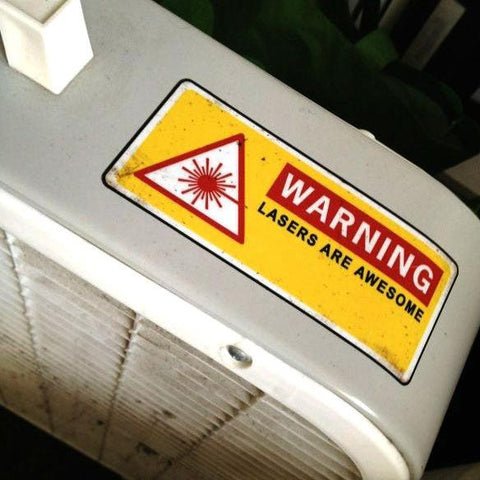
The laser cut keys are here!

I spent Saturday peeling the sticky paper off of them and watching Downton Abbey. Last night I watched more Downton Abbey while sticking the keys onto one of my 10 SideWinders. Doesn't it look great? It works really well, too. In honor of the occasion, I entered a bunch of html formatting strokes into my dictionary, and I've written 100% of this blog post using it. I've got enough keys for 20 sets, though five of those are already spoken for, and 10 will be set aside for my PyGotham Plover workshop on June 8th. I'm really excited about that.
So the next week or so will involve lots of opening SideWinder boxes, peeling foam backing, and sticking on keys. I'm wondering whether I should commission some sticker sheets for the keys from InAFlashLaser, but I'm not sure. On the one hand, I feel like sticking on colored labels for each letter on the keyboard would give beginners a leg up in trying to figure out steno in three hours. On the other hand, I worry that it would make combining those letters into chords more confusing. I know that my steno teachers at school were adamant about never labeling steno machine keys, but they were wrong about so many things, it's hard to tell how much credibility to give them in this case. It might be overkill, because I've hired a freelance graphic designer to remake my functional but butt-ugly steno alphabet chart into a more elegant and aesthetically consistent form, and I'm hoping to have at least one poster to put up in the front of the room while I give the workshop. But maybe stickers plus poster are the killer combination? It's really hard to say.
After the workshop, I'm going to try to put some sort of Plover store up. We'll sell the key sets, SideWinders with keytoppers already stuck on, the steno alphabet poster, the alphabet stickers if I wind up deciding to make them, and possibly some other random merch-type swag such as coffee cups or hats or T-shirts or something. Not sure about those. Is there demand for such a thing? Any ideas you guys might have in that department is very welcome. All proceeds, of course, will go to funding store inventory and paying programmers for Plover development. This is really slick. The keys offer a huge improvement in haptic feedback, and increase my comfort, accuracy, and speed on the SideWinder by a huge extent. I think you guys are going to love 'em.
Oh, in case you're interested, here are my new entries for easy html formatting in steno:
"A/HREF": "<a href=\"{^}",
"HAOEPT": "http://{^}",
"PWRABG": "<{^}",
"PWRA*BG": "{^}>",
"EUPBG/SR-S": "<img src=\"{^}",
"PWR": "<br>",
"KHR-BG": "{#Control_L(c)}",
"KHR*F": "{#Control_L(v)}",
Monday, May 14, 2012
Plover Pedagogy!
Several exciting things to report.
First off, I spent a marvelous afternoon with longtime Plover supporter Mel Chua (who wrote the opensource.com article that grew our community exponentially) at the end of April, and we worked out some ways to attack steno pedagogy for Plover users. She wrote a great article on what we came up with for her blog, so I'm just gonna point you there:
Applying Pedagogical Skillz to FOSS Projects: Plover Case Study
Second, I've found an even better solution to the stenification of a Sidewinder: Lasers!
I've got Mel to thank for this too; when I explained that the epoxy casting process was a little tedious because of the 24-hour curing time, she asked me if I'd looked into laser cutting. I knew about laser cutting because it's used all the time in one of the graduate design programs I CART for, but I'd mostly seen them use it on cardboard, paper, and rubber stamps; I didn't know that it was practical to use on hard plastic. But I contacted Sara Gould from In a Flash Laser (who I've known on Twitter for years; she's a CI-wearing musician, engineer, and all-around fascinating person), and she sent me a handful of laser-cut steno keys to see if they were what I was looking for. Turns out they were actually way better. They were more rigid than the epoxy, so I didn't have to worry about them accidentally bending on me, they didn't have the slightly annoying beveling, and I was able to make them a bit smaller than the molded keys, which meant I only had to affix them to the Sidewinder with one square of mounting foam instead of two. Triple bonus! Plus they're very affordable, and having them made by a professional laser-cutting company instead of me in my off time means we can always have a decent quantity in stock. I immediately sent off for 20 sets, and as soon as they arrive, I'll start assembling them. I'm only planning on having 10 assembled Sidewinders onsite at the PyGotham Plover Workshop, so I'll have 10 more sets to sell or give away to Plover code contributors.
Speaking of PyGotham and code contribution... The last exciting thing:
There's going to be a coding sprint on Plover from 6 pm to midnight on June 8th, hosted by PyGotham and several of its sponsors! There'll be free food and drinks, live music, some awesome-weird electronic art, and our own Hesky there to help with the coding. I'll be there to weigh in on the steno side, of course, and Josh might even be able to attend via IRC for at least part of the night. It's gonna be amazing.
So between now and then I'll be cleaning up the Launchpad page, adding, editing, and documenting bugs and blueprints. I've been using Plover exclusively for my transcription work over the past several weeks, so I've been able to keep a running log of stuff that still needs to be improved on as I transcribe. I even made a single stroke command for it:
"KW-RPB": "{#Escape}:split plovernotes.txt{#Return}",
When I'm in Vim, all I have to do is write KW-RPB, and my plovernotes file will come up on the top half of the screen. Then I write the mistranslated word or iteration of a particular bug, write ZZ (STKPW*P/STKPW*P), the window closes, and I'm back in my transcription file without ever lifting my hands from the keyboard. It's fabulous. So I've been building up a fine raft of bugs to squash during the coding sprint. Spread the word!
First off, I spent a marvelous afternoon with longtime Plover supporter Mel Chua (who wrote the opensource.com article that grew our community exponentially) at the end of April, and we worked out some ways to attack steno pedagogy for Plover users. She wrote a great article on what we came up with for her blog, so I'm just gonna point you there:
Applying Pedagogical Skillz to FOSS Projects: Plover Case Study
Second, I've found an even better solution to the stenification of a Sidewinder: Lasers!
I've got Mel to thank for this too; when I explained that the epoxy casting process was a little tedious because of the 24-hour curing time, she asked me if I'd looked into laser cutting. I knew about laser cutting because it's used all the time in one of the graduate design programs I CART for, but I'd mostly seen them use it on cardboard, paper, and rubber stamps; I didn't know that it was practical to use on hard plastic. But I contacted Sara Gould from In a Flash Laser (who I've known on Twitter for years; she's a CI-wearing musician, engineer, and all-around fascinating person), and she sent me a handful of laser-cut steno keys to see if they were what I was looking for. Turns out they were actually way better. They were more rigid than the epoxy, so I didn't have to worry about them accidentally bending on me, they didn't have the slightly annoying beveling, and I was able to make them a bit smaller than the molded keys, which meant I only had to affix them to the Sidewinder with one square of mounting foam instead of two. Triple bonus! Plus they're very affordable, and having them made by a professional laser-cutting company instead of me in my off time means we can always have a decent quantity in stock. I immediately sent off for 20 sets, and as soon as they arrive, I'll start assembling them. I'm only planning on having 10 assembled Sidewinders onsite at the PyGotham Plover Workshop, so I'll have 10 more sets to sell or give away to Plover code contributors.
Speaking of PyGotham and code contribution... The last exciting thing:
There's going to be a coding sprint on Plover from 6 pm to midnight on June 8th, hosted by PyGotham and several of its sponsors! There'll be free food and drinks, live music, some awesome-weird electronic art, and our own Hesky there to help with the coding. I'll be there to weigh in on the steno side, of course, and Josh might even be able to attend via IRC for at least part of the night. It's gonna be amazing.
So between now and then I'll be cleaning up the Launchpad page, adding, editing, and documenting bugs and blueprints. I've been using Plover exclusively for my transcription work over the past several weeks, so I've been able to keep a running log of stuff that still needs to be improved on as I transcribe. I even made a single stroke command for it:
"KW-RPB": "{#Escape}:split plovernotes.txt{#Return}",
When I'm in Vim, all I have to do is write KW-RPB, and my plovernotes file will come up on the top half of the screen. Then I write the mistranslated word or iteration of a particular bug, write ZZ (STKPW*P/STKPW*P), the window closes, and I'm back in my transcription file without ever lifting my hands from the keyboard. It's fabulous. So I've been building up a fine raft of bugs to squash during the coding sprint. Spread the word!
Subscribe to:
Posts (Atom)