Plover Blog Accessibility: Partially Upgraded.
As Plover's been getting more and more users, we've gotten a number of people wanting to learn steno who are either blind or have low vision, and who requested an audio version of the Steno 101 series. I'm happy to say I've completed the first two lessons this weekend, and I'm going to try to get the rest of them done as soon as I can, with audio versions accompanying each new Steno 101 installment as it's released. (I know I've been promising a new installment for a really long time now, and it's all mapped out and just ready to be written up; I'm just waiting for the Plover Windows Port to be finished so that all Plover users are on the same page when trying out the new features, like command strokes and numbers. Work on that is proceeding, and I'm hoping it'll be done by the end of this week, fingers crossed.)
So here are the first two installments again, now audio described by yours truly:
Steno 101: How to Do It
Steno 101: Lesson Zero
I looked around to see whether there were any accessible embedded audio players, but didn't find anything on a cursory search, so I just linked each heading to an mp3 file; you can open them in a new tab and most browsers should play them automatically. I'm very new at this, so please let me know if I need to revise any of the files, and I'll do my best to re-record them as necessary. At the end of the project, I intend to put them all into a zip file and host them on the StenoKnight servers, so people can download them as a Steno 101 audiobook if they want to learn steno on the fly. Many thanks to our blind and low vision users for giving me the spur I needed to start on this project. Enjoy the first two lessons! More coming soon.
Sunday, January 29, 2012

Monday, January 16, 2012
Analytics
Graph of visits for all pages hosted on http://stenoknight.com since November, 2009 (when I started using Analytics) until today:

I just thought it was awesome and hilarious. I love the internet so much.
I just thought it was awesome and hilarious. I love the internet so much.
New Donation Page
Wow, it's been an exciting couple of days. We've already collected $200 in Plover donations, and after receiving feedback from one donor, I've made a dedicated donation page for Plover, detailing exactly where the money goes. (Right now it all goes to help our devs write code for Plover without taking too much of a financial hit when they take time away from their day jobs or freelance work; later we might use some of it as seed money to start fabricating Plover hardware, like qwerty-to-steno keyboard overlays or low-cost USB steno keyboards that plug into a computer and immediately start outputting English when they receive steno input. I've never taken any money for Plover, and I don't intend to start. My own venal reason for founding the project was to bring more people into my profession so it doesn't collapse due to the ever-increasing shortage of stenographers. If I can help raise up the next generation of captioners, transcriptionists, and steno amateurs, I'll feel more than repaid for the money I've spent getting Plover developed.) Ever since landing on Hacker News, the interest in Plover has spiked dramatically, which is glorious. Later today I'm going to try to make an entry on our wiki detailing all the various jobs that we need help with and the current state of who's working on what. Thanks for all the email and offers of support I've gotten so far! It's so inexpressibly wonderful to see this tiny little two-person project explode into a complex and multivarious international community.
Friday, January 13, 2012
OpenSource.com Article on Plover
Longtime Plover ally Mel Chua has just written a fantastic article on OpenSource.com about Plover! Go check it out. If any of you have come to this blog via the article, welcome! Try out the demo on your qwerty keyboard, check out the Launchpad page, or join the Google group or the Aviary to talk with Plover users and devs about open source steno and the next steps for the Plover Project.
Wednesday, December 28, 2011
Plover 2.2.0 Released!
Woke up this morning to an email from Josh, Plover's dauntless programmer:
"Hi all,
I'm happy to announce the latest feature release of Plover! Version 2.2.0 includes the following features and fixes:
* a new graphical user interface that supports both older and newer versions of Ubuntu, with and without Unity
* auto-start configuration option
* hotkey commands to suspend/resume Plover, bring up the configuration dialog, and bring the main Plover window to the foreground
* support for the TX Bolt/Gemini TX protocol, which will open the way to using many Stentura machines
* protection against running more than one instance of Plover at a time
* proper handling of the number bar
* updated user guide
This is all fine and good, but what I'm happiest about is the high level of community involvement that went into this release, including Stan and Tony sending me a steno machine to test on (thanks, I'm finally ready to send it back!), the great suggestions for features and improvements to both the software and the user guide from many people on the mailing list, Hesky's seamless contribution of code to support the TX protocol (and ongoing experimental Windows port), generous financial support from various corners of the world, and, of course, Mirabai's relentless advocacy, encouragement, and testing.
As usual, the latest version can be downloaded from:
https://launchpad.net/plover
Also, for the first time, I've made Plover available from the official Python package index, which provides yet more methods of installing Plover for those adventurous enough to learn about it:
http://pypi.python.org/pypi/plover/
Please report any problems to the mailing list.
Happy stenographing, Josh"
This is awesome. I've been testing out this version for the past few weeks, and it is rock solid. Being able to use Unity is really convenient, and the number bar bugfixes mean that I can now write the Steno 101 lesson on numbers, fingerspelling, and metacommands that I've been planning for months! Look for that by the end of this week. The auto-start option is also great when you want to invoke Plover (I use Gnome-Do, so I only need to do Alt-Space, P, and Enter to set it going) and start writing steno right away without fiddling with the mouse. The new Plover Guide (PDF file) is also extremely useful, and we'll hopefully be mirroring it on the Wiki for easy reference fairly soon. So if you have Linux and a Sidewinder (or Majestouch or Noppoo Choc Mini or any other qwerty keyboard with n-key rollover) or a Gemini PR/TX machine or a Lightspeed or a Protege, install the new version and enjoy! If you don't have Linux, either take the plunge and install Ubuntu as a dual-boot option, or wait a few more days until the Windows port is complete. Feel free to leave feedback -- feature requests, bug reports, et cetera -- in comments here, at the Launchpad page, on the Google group, or on the (newly restyled) Aviary. Many, many thanks to Josh for his fantastic work. We've come a hell of a long way from "catalogue catalogue Log Cat log".
"Hi all,
I'm happy to announce the latest feature release of Plover! Version 2.2.0 includes the following features and fixes:
* a new graphical user interface that supports both older and newer versions of Ubuntu, with and without Unity
* auto-start configuration option
* hotkey commands to suspend/resume Plover, bring up the configuration dialog, and bring the main Plover window to the foreground
* support for the TX Bolt/Gemini TX protocol, which will open the way to using many Stentura machines
* protection against running more than one instance of Plover at a time
* proper handling of the number bar
* updated user guide
This is all fine and good, but what I'm happiest about is the high level of community involvement that went into this release, including Stan and Tony sending me a steno machine to test on (thanks, I'm finally ready to send it back!), the great suggestions for features and improvements to both the software and the user guide from many people on the mailing list, Hesky's seamless contribution of code to support the TX protocol (and ongoing experimental Windows port), generous financial support from various corners of the world, and, of course, Mirabai's relentless advocacy, encouragement, and testing.
As usual, the latest version can be downloaded from:
https://launchpad.net/plover
Also, for the first time, I've made Plover available from the official Python package index, which provides yet more methods of installing Plover for those adventurous enough to learn about it:
http://pypi.python.org/pypi/plover/
Please report any problems to the mailing list.
Happy stenographing, Josh"
This is awesome. I've been testing out this version for the past few weeks, and it is rock solid. Being able to use Unity is really convenient, and the number bar bugfixes mean that I can now write the Steno 101 lesson on numbers, fingerspelling, and metacommands that I've been planning for months! Look for that by the end of this week. The auto-start option is also great when you want to invoke Plover (I use Gnome-Do, so I only need to do Alt-Space, P, and Enter to set it going) and start writing steno right away without fiddling with the mouse. The new Plover Guide (PDF file) is also extremely useful, and we'll hopefully be mirroring it on the Wiki for easy reference fairly soon. So if you have Linux and a Sidewinder (or Majestouch or Noppoo Choc Mini or any other qwerty keyboard with n-key rollover) or a Gemini PR/TX machine or a Lightspeed or a Protege, install the new version and enjoy! If you don't have Linux, either take the plunge and install Ubuntu as a dual-boot option, or wait a few more days until the Windows port is complete. Feel free to leave feedback -- feature requests, bug reports, et cetera -- in comments here, at the Launchpad page, on the Google group, or on the (newly restyled) Aviary. Many, many thanks to Josh for his fantastic work. We've come a hell of a long way from "catalogue catalogue Log Cat log".
Monday, December 26, 2011
Plover Aviary
Two nice little updates, while we wait for the newest Plover release (which is imminent) and the completion of the Windows experimental version (which should hopefully happen by the end of the week). First, Amber from the Google group has created a list of 21 sentences using the most common words in the English language; all together, the words in these sentences (which she's posted to the Plover Wiki) comprise 50% to 65% of all words used in English, so it's useful to have them under your belt. Check 'em out:
Practice Sentences with Common English Words
Another brilliant idea of Amber's was for there to be a forum for steno newbies and new Plover users, so that they could share tricks and travails with each other and maintain a form of reference that was less static than the Wiki and less linear than the the Google group. So this morning I installed phpBB (a surprisingly painless process), and I can now introduce to you:
The Plover Aviary
I've started it off with a few posts to get it going, including one where I took Amber's practice sentences and wrote them out on my steno machine using a dummy dictionary (with all the entries replaced with "STKPWHRAOEUFRPBLGTSDZ", so they came out as raw steno. For some reason, when I deleted all but one entry and tried to use that dictionary, Plover gave me an error, but it worked fine with all the entries redefined). If we can get more practice sentences from Plover users, I'll hopefully be able to plump up the previous Steno 101 lessons into a more useful form.
With luck the Aviary will soon be full of questions and answers and feature requests and competitive speed bragging. I also count today a success because I learned the word "dotterel", which I've used for the steno veterans forum (because after "hatchlings" and "fledglings" just comes "full-grown birds", and I thought that lacked panache.) According to its Wikipedia entry, a dotterel is both "a small wader in the plover family" and "a doting old fool", which fit my steno-obsessed batty old self perfectly. So there it is. Another place to go and get your Plover on with other steno neophytes. Have fun!
Practice Sentences with Common English Words
Another brilliant idea of Amber's was for there to be a forum for steno newbies and new Plover users, so that they could share tricks and travails with each other and maintain a form of reference that was less static than the Wiki and less linear than the the Google group. So this morning I installed phpBB (a surprisingly painless process), and I can now introduce to you:
The Plover Aviary
I've started it off with a few posts to get it going, including one where I took Amber's practice sentences and wrote them out on my steno machine using a dummy dictionary (with all the entries replaced with "STKPWHRAOEUFRPBLGTSDZ", so they came out as raw steno. For some reason, when I deleted all but one entry and tried to use that dictionary, Plover gave me an error, but it worked fine with all the entries redefined). If we can get more practice sentences from Plover users, I'll hopefully be able to plump up the previous Steno 101 lessons into a more useful form.
With luck the Aviary will soon be full of questions and answers and feature requests and competitive speed bragging. I also count today a success because I learned the word "dotterel", which I've used for the steno veterans forum (because after "hatchlings" and "fledglings" just comes "full-grown birds", and I thought that lacked panache.) According to its Wikipedia entry, a dotterel is both "a small wader in the plover family" and "a doting old fool", which fit my steno-obsessed batty old self perfectly. So there it is. Another place to go and get your Plover on with other steno neophytes. Have fun!
Saturday, December 17, 2011
Fly, Plover! Fly!
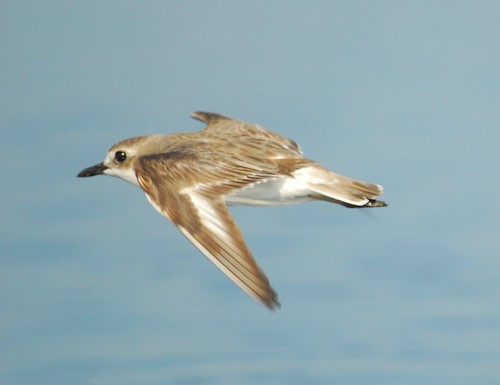
Plover photo by Changhua Coast Conservation Action
Pragma Nolint, a member of the Plover Google Group, has just written a training program for the qwerty-to-steno layout. It's called Fly, and you can download it here:
http://stenoknight.com/plover/Fly_v0.0.1.tar.gz

Fly screenshot
Hover Plover is still very much in the planning stage, so having this available right now is incredibly useful, especially considering that I still haven't gone back into the Steno 101 lessons to add practice material. Instant interactive feedback is a better way to learn this stuff anyway.
Currently it just works with Ubuntu, but I've put out a call for volunteers to port it to Windows and/or a web-based version, so we can reach as many Plover users as possible. Keep in mind that it uses code from Plover (and Plover's default dictionary), but you don't want Plover to be running while you're using Fly, or it won't work properly. Fly will offer up drills based on single letters, words, or even sentences, so you can learn the steno keyboard from the bottom up. If you use Fly, comment here to relate your experience, report bugs, or request features.
Many thanks to Pragma! The ever-growing Plover community never ceases to amaze and delight me. Share Fly among your friends and bring more people into the glorious world of open source steno.
Subscribe to:
Posts (Atom)